Sunday, August 7, 2016

Hacking Website with Sqlmap in Kali Linux

Sqlmap


Basically its just a tool to make Sql Injection easier. Their official website  introduces the tool as -"sqlmap is an open source penetration testing tool that automates the process of detecting and exploiting SQL injection flaws and taking over of database servers. It comes with a powerful detection engine, many niche features for the ultimate penetration tester and a broad range of switches lasting from database fingerprinting, over data fetching from the database, to accessing the underlying file system and executing commands on the operating system via out-of-band connections."
A lot of features can be found on the SqlMap website, the most important being - "Full support for MySQL, Oracle, PostgreSQL, Microsoft SQL Server, Microsoft Access, IBM DB2, SQLite, Firebird, Sybase and SAP MaxDB database management systems." That's basically all the database management systems. Most of the time you'll never come across anything other than MySql. 


Hacking Websites Using Sqlmap in Kali linux

Sql Version

Boot into your Kali linux machine. Start a terminal, and type -
 sqlmap -h
It lists the basic commands that are supported by SqlMap. To start with, we'll execute a simple command
sqlmap -u <URL to inject>. In our case, it will be-
 sqlmap -u http://testphp.vulnweb.com/listproducts.php?cat=1
Sometimes, using the --time-sec helps to speed up the process, especially when the server responses are slow.
 sqlmap -u http://testphp.vulnweb.com/listproducts.php?cat=1 --time-sec 15
Either ways, when sqlmap is done, it will tell you the Mysql version and some other useful information about the database.
The final result of the above command should be something like this.
Note: Depending on a lot of factors, sqlmap my sometimes ask you questions which have to be answered in yes/no. Typing y means yes and n means no. Here are a few typical questions you might come across-
  • Some message saying that the database is probably Mysql, so should sqlmap skip all other tests and conduct mysql tests only. Your answer should be yes (y).
  • Some message asking you whether or not to use the payloads for specific versions of Mysql. The answer depends on the situation. If you are unsure, then its usually better to say yes.

Enumeration

Database

In this step, we will obtain database name, column names and other useful data from the database.
List of  a few common enumeration commands
So first we will get the names of available databases. For this we will add --dbs to our previous command. The final result will look like -
 sqlmap -u http://testphp.vulnweb.com/listproducts.php?cat=1 --dbs
 So the two databases are acuart and information schema.

Table

Now we are obviously interested in acuart database. Information schema can be thought of as a default table which is present on all your targets, and contains information about structure of databases, tables, etc., but not the kind of information we are looking for. It can, however, be useful on a number of occasions. So, now we will specify the database of interest using -D and tell sqlmap to enlist the tables using --tables command. The final sqlmap command will be-
 sqlmap -u http://testphp.vulnweb.com/listproducts.php?cat=1 -D acuart --tables
The result should be something like this -
Database: acuart
[8 tables]
+-----------+
| artists   |
| carts     |
| categ     |
| featured  |
| guestbook |
| pictures  |
| products  |
| users     |
+-----------+
Now we have a list of tables. Following the same pattern, we will now get a list of columns.

Columns

Now we will specify the database using -D, the table using -T, and then request the columns using --columns. I hope you guys are starting to get the pattern by now. The most appealing table here is users. It might contain the username and passwords of registered users on the website (hackers always look for sensitive data).
The final command must be something like-
 sqlmap -u http://testphp.vulnweb.com/listproducts.php?cat=1 -D acuart -T users --columns
The result would resemble this-

Data

Now, if you were following along attentively, now we will be getting data from one of the columns. While that hypothesis is not completely wrong, its time we go one step ahead. Now we will be getting data from multiple columns. As usual, we will specify the database with -D, table with -T, and column with -C. We will get all data from specified columns using --dump. We will enter multiple columns and separate them with commas. The final command will look like this.
 sqlmap -u http://testphp.vulnweb.com/listproducts.php?cat=1 -D acuart -T users -C email,name,pass --dump
 Here's the result
John Smith, of course. And the password is test. Email is email@email.com?? Okay, nothing great, but in the real world web pentesting, you can come across more sensitive data. Under such circumstances, the right thing to do is mail the admin of the website and tell him to fix the vulnerability ASAP. Don't get tempted to join the dark side. You don't look pretty behind the bars. That's it for this tutorial. Try to look at other columns and tables and see what you can dig up.

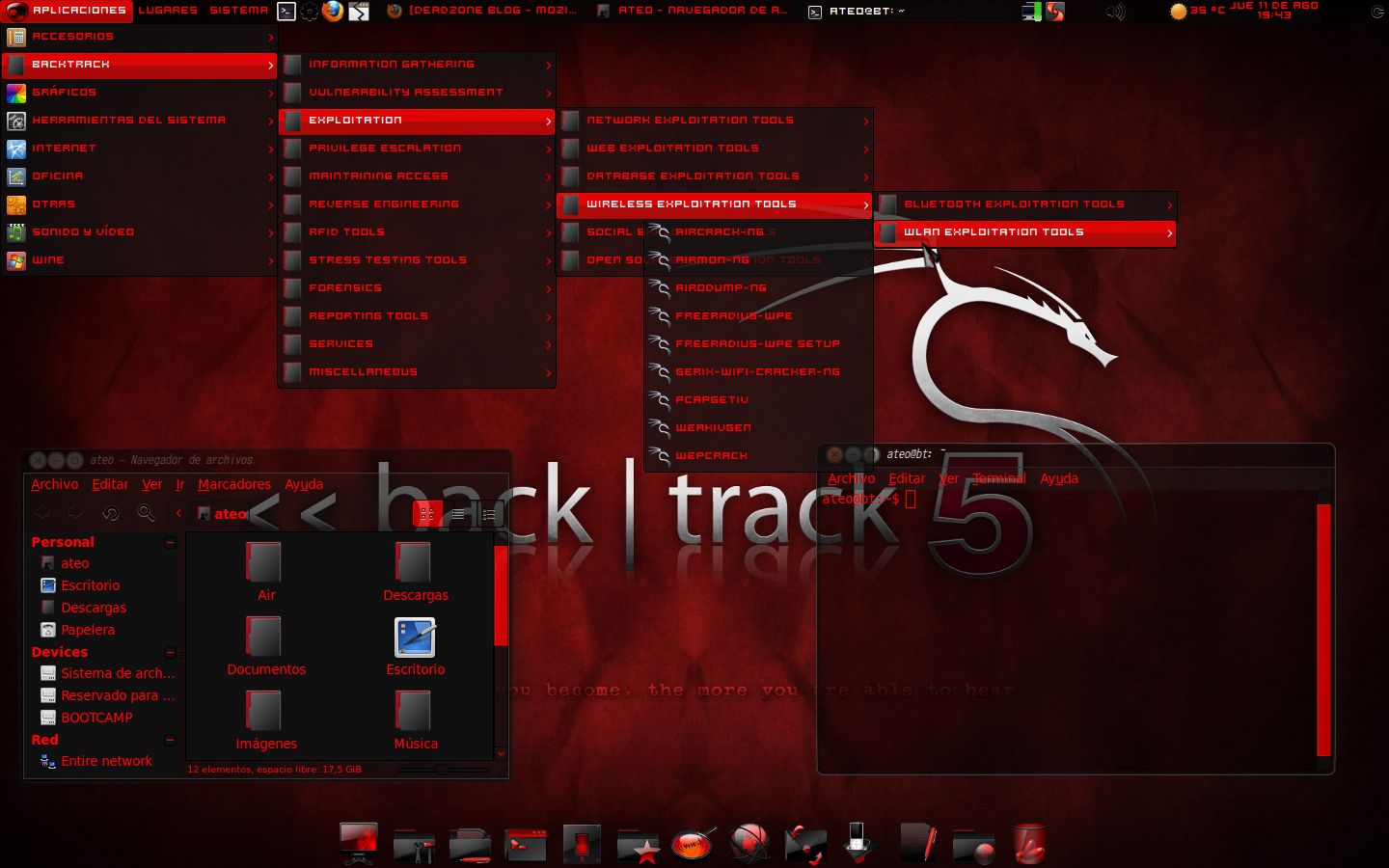
5 Useful Things in Backtrack Linux 5 Useful Things In Backtrack Linux


1. About user name and password

Backtrack use root for the username and toor for the password. You should provide it at the first time login in your first time installation.

2. startx command.

Don't shocked if you see the black screen with command only when you use backtrack. Backtrack designed to use command line, but if you want to enable the window, you can type startx command after you log in.

3. Metasploit Framework

The most famous tools in Backtrack is Metasploit framework, this tools is used for penetration testing into vulnerable system. You can go to metasploit framework by typing /pentest/exploits/framework3/msfconsole, and there's also /pentest/exploits/framework2/msfconsole.

4. Log Out

In Backtrack, you cannot restart or shutdown your computer from X-Window. One thing you can do when you finish use backtrack from X-Window is Log Out. To do this, click the Dragon icon at the bottom left of your Backtrack and then Click Log Out.

5. Shutdown, Restart

When you finish use the X-Windows, you will be inside the terminal again.
To shutdown your Backtrack : poweroff
To restart your Backtrack : reboot

How to Hack a Computer Using Just An Image

Next time when someone sends you a photo of a cute cat or a hot chick than be careful before you click on the image to view — it might hack your machine.
hack-computer


Yes, the normal looking images could hack your computers — thanks to a technique discovered by security researcher Saumil Shah from India.

Dubbed "Stegosploit," the technique lets hackers hide malicious code inside the pixels of an image, hiding a malware exploit in plain sight to infect target victims.

Just look at the image and you are HACKED!


Shah demonstrated the technique during a talk titled, "Stegosploit: Hacking With Pictures," he gave on Thursday at the Amsterdam hacking conference Hack In The Box.

According to Shah, "a good exploit is one that is delivered in style."

Keeping this in mind, Shah discovered a way to hide malicious code directly into an image, rather than hiding it in email attachments, PDFs or other types of files that are typically used to deliver and spread malicious exploits.

To do so, Shah used Steganography — a technique of hiding messages and contents within a digital graphic image, making the messages impossible to spot with the naked eye.

Here's How to Hack digital pictures to send malicious exploits:


Until now Steganography is used to communicate secretly with each other by disguising a message in a way that anyone intercepting the communication will not realise it's true purpose.

Steganography is also being used by terrorist organisations to communicate securely with each other by sending messages to image and video files, due to which NSA officials are forced to watch Pornand much porn.

However in this case, instead of secret messages, the malicious code or exploit is encoded inside the image’s pixels, which is then decoded using an HTML 5 Canvas element that allows for dynamic, scriptable rendering of images.

The "Secret Sauce" behind Stegosploit — this is what Shah calls it.


"I don’t need to host a blog," Shah told Motherboard, "I don’t need to host a website at all. I don’t even need to register a domain. I can [just] take an image, upload it somewhere and if I just point you toward that image, and you load this image in a browser, it will detonate."
The malicious code, dubbed IMAJS, is a combination of both image code as well as JavaScript hidden into a JPG or PNG image file. Shah hides the malicious code within the image’s pixels, and unless somebody zoom a lot into it, the image looks just fine from the outside.


Video Demonstration:


Shah demonstrated to Lorenzo Franceschi of Motherboard exactly how his hack works. He used Franceschi’s profile picture and then prepared a demonstration video using his picture as the scapegoat.

In the first video presentation, Shah shows a step by step process on how it is possible to hide malicious code inside an image file using steganography technique. You can watch the video given below:


In the second video, Shah shows how his Stegosploit actually works. His exploit works only when the target opens the image file on his or her web browser and clicks on the picture.

You are HACKED!

Once the image is clicked, the system’s CPU shoots up to 100 percent usage, which indicates the exploit successfully worked. The malicious code IMAJS then sends the target machine’s data back to the attacker, thereby creating a text file on the target computer that says — "You are hacked!"


Shah also has programmed his malicious image to do more stealthy tasks, like downloading and installing spyware on victim’s machine, as well as stealing sensitive data out of the victim’s computer.

The bottom line here is:


You should not presume the image files as "innocent" anymore, as they can hide malicious code deep inside its pixels that could infect your computers.

Therefore, always make sure before you click on one.


Shah has been working on the research [PDF] during his spare time for almost five years, but he has not tested his technique on popular image sharing websites like Dropbox or Imgur. He also admitted that his method might not work everywhere.

This Simple Trick Requires Only Your Phone Number to Hack your Email Account !!

In order to get into your email account, an attacker does not need any coding or technical skills. All an attacker needs your email address in question and your cell phone number.
hack-email-account


Here's How the Scam Works:


Send a text from an unknown number to the victim’s phone, asking them to verify their account by replying with the verification code they are about to receive in order to ensure their Google account is secure, but in real the code is a password resets code.
  • Send another text message containing an unlock code to the registered phone.
  • The victim receives the code with a text something like this: "This is Google. There has been unauthorized activity on your account. Please reply with your verification code.
  • As soon as victim responds with the verification code, the email address is forfeited, and the attacker can log into victim’s Gmail account without detection.
  • This social engineering trick sounds so easy and requires almost no technical skills to get into anyone’s email account.

    Most of us reply to the unknown phone calls and messages thinking it is from the company, as receiving messages and phone calls from companies is not something uncommon.

    Always be Defensive to such Scams


    Before watching the video, someone would have never thought of such a method to hack someone’s account.

    Of course, the untrained mind could easily fall victim to the text asking for a response. But, asSymantec says, "Legitimate messages from password recovery services will only tell you the verification code and will not ask you to respond in any way."

    The workaround is not to fall victim for such kinds of scams and always examine the messages you receive.

How To Root Android Phone Easily (Latest) 2016 - Full Guide

How To Root Android Phone Easily (Latest) 2016 - Full Guide

Today We will back with our new topic on How To Root Android Phone With/Without PC 2016, So Lets Start with introducing about Rooting and why it is necessary for Android Phone.

23_rootandroid
How To Root Android Phone Easily 2016 (Latest) - Full Guide

 What Is Android Rooting ?

Android Rooting is jailbreaking for Androids and allows users to dive deeper into a phone’s sub-system. Essentially, it’ll allow you to access the entire operating system and be able to customize just about anything on your Android. With root access, you can get around any restrictions that your manufacturer or carrier may have applied. You can run more apps.
Of course, for the average user, rooting sounds like -- and can be -- a scary process. After all, "rooting" around in your smartphone's core software might seem like a recipe for disaster. One wrong move and you could end up with bricked handset.
The process requires users to back up current software and flash (install) a new custom ROM (modified version of Android).


#Benefits Of Android Rooting :-

1. Boost your Phone speed & Battery Life.
2. Remove Pre installed crap ware like System Apps.
3. Remove Bloatwares, Apps like Facebook, Chrome Keep sucking your Ram & battery by running in background So, Among the smartphone geek crowd, applications like these are referred to as “bloatware:” they do nothing but bloat the software by existing as unnecessary applications.
4. Tweak your phone like : Increase Video streaming speed, Increase Wifi Speed, Increase SIM detecting Speed, Increase SD read/write speed.
5. Most Important & Best part, Install Custom Kernel & Custom ROMS ( I will explain about it in Installing Custom ROM section Custom ROM section )
6. Finally, Truly Own your Device, Make it appear in the way you want.

#Preparing your phone for Rooting -

First Open Settings on your device. If  you do not see Developer Options toward the bottom of the Settings screen on your device, follow these steps to activate them.
1. Tap on About Phone and find the Build Number.
2. Tap on the Build Number seven times and the Developer Options will appear on the main page of the Settings.
3. Tap on the Back key to see the Developer Options.
4. Tap on Developer Options.
5. Check to enable USB Debugging.
6. Check to enable OEM Unlocking. 

Root Android Phone With/Without PC Easily

Root Android Phone using KingRoot Android Root App

#What is kingroot Android App?

Kingo Android ROOT is a software, programmed by years of dedicate development, which can help Android users to root their devices in the easiest and safest manner.There are many other softwares to root android devices but here mukeshtricks4u gives you full guide about Kingo Android App.It is free of any charges, risks and preparations.
#Precaution @ If you are using any Antivirus Application on your Computer, then disable it first then follow the tutorial.

#Steps To Root Android Phone

   1.  Download KingRoot Free
 
   2. Enable USB debugging mode on your phone. If it's running Android 4.0 or 4.1, tap Settings, Developer Options, then tick the box for "USB debugging.
Steps To Unable USB debugging - Enable USB debugging mode on your phone. If it's running Android 4.0 or 4.1, tap Settings, Developer Options, then tick the box for "USB debugging.
proxy?url=http%3A%2F%2Fi.imgur.com%2F6AsLHJ7


Press OK to Save the setting change.
          
   3. Run Android Root on your PC, then connect your phone via its USB sync cable. After a moment, the former should show a connection to the latter. Your device screen may show an "Allow USB debugging?" pop-up. Tick "Always allow from this computer," then tap OK
   This tutorial is all about KINGOROOT app. bt due to some restrictions i change kingoroot to KINGROOT App. its also easy to use. DOwnload king root from above link.

proxy?url=http%3A%2F%2Fi.imgur.com%2FRwxVlxs

  4. As the kingo android root is connected with your android phone it will detect your phone automatically
  5. Now Click on ROOT Button to start Rooting.

  6. Its All done , your android phone is rooted successfully.

Download Backtrack 5r3 Free - Latest (32 & 64 Bit)

Download Backtrack 5r3 Free - Latest (32 & 64 Bit)
If You are here to Download Backtrack 5r3 Free - Latest (32 & 64 Bit) So, You are Landed at Right Webpage because here we Discuss all BackTrack 5 R3 and Below we also Share the Direct Download Backtrack 5r3 Free - Latest (32 & 64 Bit)

BackTrack 5 R3 is one of the Most Powerful Linux Distribution used for Penetration and Find Loopholes in Websites, Software and Application. Basically, it is Based on GNOME Linux Distribution and Include many of Top used Security Tools Like MetaSploit, Wireshark, AirCrack, Nmap and other Digital Forensic Tools. BackTrack 5 R3 is Developed by Offensive Securities and Soon They are Stop BackTrack Linux Series. The Last Edition of this Operating System is BackTrack 5 R3 and Further They Starting a new Project that is also a Newest Version of This Operating System Known as Kali Linux. It is the Successor of Backtrack 5 R3 and Include all the Tools that you have in BackTrack 5 R3. BackTrack is also Found as Best Operating System Used by Hackers.
result
Download Backtrack 5r3 Free - Latest (32 & 64 Bit)


There are Millions of Security Researchers (White Hat) who use BackTrack 5 R3 for Digital Forensics, Testing Systems, Networks and Other Penetration work. But On the Other Hand, It is also the Favourite Operating System Picked by Hackers because of their Tools and Features. Hackers and Crackers use this Operating System, not For Testing Instead to Breaking Systems, Cracking Passwords, Hacking Accounts and other Notorious Work. BackTrack have all the Deadly Tools and Programs that you need to Break the Digital Systems. The Last Edition of BackTrack 5 R3 is released on August 13, 2012. After that, They Start Project Kali.
  • Features of BackTrack 5R3:
  • Available in Different Flavours.
  • Include all Hacking Tools.
  • Preinstalled Digital Forensics.
  • Simple and Easy Interface.
  • Open Source for All People World Wide.
  • Preinstalled Drivers.

Download Backtrack 5r3 Free - Latest (32 & 64 Bit) with Below Links: